Google showed our domain instead of our company name, even though our site declared the name. Here is what we found, what we changed, and six checks for your own site.
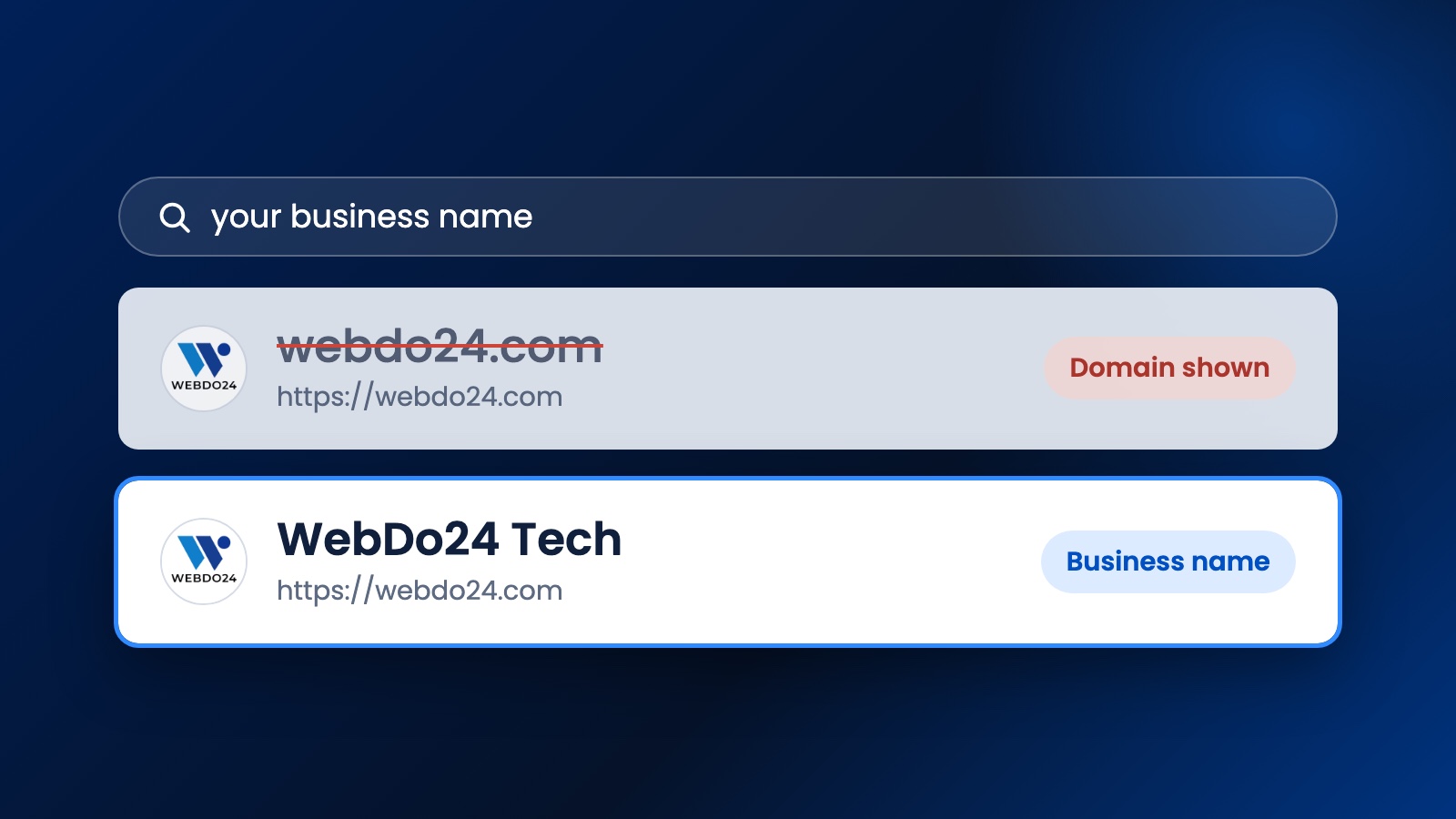
Search for your business on Google and look at the small line of text next to your logo. That line is your site name. When we searched for our own company, it said webdo24.com, even though our site had been telling Google for a while that our name is WebDo24 Tech.
If you are seeing a domain instead of business name in your own results, this article shows what we found when we looked into it, what we changed, and the checks you can run on your site today. One thing up front: when we published this, our result had not changed yet. Google takes time, and we will update this page with what happens.
Why Google shows a domain instead of a business name
Google chooses the site name automatically. There is no setting or form where you can type the name you want. You can only give Google clear signals, and Google's site name documentation explains which ones it reads. The main signal is a small block of code on your home page called WebSite structured data.
If that code is missing, wrong or contradicted by the rest of your site, Google may be less confident in the name. It can then pick something else, and the domain is a common result. Having the code does not guarantee the name either. Ours was there, and Google still showed the domain.
What we found on our own site
We checked our live home page and the versions of it that Google could reach. Most of it was already fine:
- Could Google read the home page? Yes. Nothing in robots.txt or the page's robots tag was blocking it.
- Was the WebSite code there? Yes, with the name WebDo24 Tech.
- Did it give a short name? No. There was no alternative name in the code.
- Was there only one home page? No. This was the real surprise.
Opening www.webdo24.com did not send visitors to webdo24.com. It loaded a full copy of the site. That copy gave its own www address as the canonical URL and as the address in its WebSite code. So our site was describing two different home addresses, depending on which one you opened.
The short name mattered too. The home page's HTML contained "WebDo24" 36 times, and only 20 of those were the full "WebDo24 Tech". People also search for plain "webdo24". Our code offered only the longer version.
The two changes we made
First, we made www redirect to the main address. Every www URL now goes to the same page on webdo24.com with a permanent 301 redirect. Google does not strictly require this. It asks that duplicate home pages carry the same structured data and point to the canonical address. We chose the redirect because one home page leaves nothing to keep in sync.
Second, we added alternative names. Here are the important parts of our WebSite code now:
{
  "@type": "WebSite",
  "url": "https://webdo24.com",
  "name": "WebDo24 Tech",
  "alternateName": ["WebDo24", "webdo24.com"]
}
The order matters, because Google asks you to list alternatives from most to least preferred. The lowercase domain goes last as a fallback. We did not rename the company or touch our page titles.
Six checks to run on your own site
These take about 15 minutes, and most need no developer.
- Make sure Google can open your home page. Look for a noindex tag, a robots.txt block or a login wall. Our free SEO Analyzer checks the robots file and whether structured data is present.
- Put the code on the real home page. It has to be at the root of the domain or subdomain. Code on /about or /blog does not count, and Google does not support site names for subfolders.
- Test every version of your address. Try https and http, with and without www. Our Redirect Checker shows where each one ends up. All of them should reach one address, or carry identical structured data.
- Use one name everywhere. Compare your structured data, home page title, social sharing tags and the name in your header. If they disagree, Google has less reason to trust any of them.
- Use your real name, not a slogan. "Best Web Design Company" is a description, not a name. Google says descriptive phrases are unlikely to be chosen unless they are a well-known brand. Keep the name short and recognisable.
- Add alternatives, ending with your domain. Include a shorter form of your name if people use one, then your lowercase domain as the last option.
After you make the changes
Open Google Search Console, paste your home page address into URL Inspection and request indexing. Then give it time. Google says crawling can take from a few days to a few weeks, and inner pages can take longer to show the new name than the home page.
Try not to change the name again while you wait. If you keep editing it, you will not be able to tell which version Google reacted to.
What will not help
- Adding keywords to the name. It works against the advice to use a concise name that people actually recognise.
- Paying for a guaranteed result. The choice is automated, and nobody outside Google controls it.
- Copying a competitor's code without changing it. Every value has to describe your own site, including the address.
- Expecting a ranking boost. The site name changes how your result looks. We have seen nothing in Google's documentation that presents it as a ranking factor, so treat it as a branding fix.
What we still do not know
We cannot tell you yet whether these two changes will be enough, or which one mattered more. Google does not report why it picked a name, and it may still prefer the domain for a while, especially for a smaller brand it is less sure about. We are watching our own result and will add the outcome here, including if nothing changes.
Google's documentation has one last resort if a preferred name never appears: use the domain itself as the name. We would not start there, because it gives up on the brand name you actually want to show.
Need help putting this into practice?
Our team can do it for you — a clear plan and price within 24 hours, no obligation.