Real website prices from $499 to $5,999, what each level includes, three worked examples, the costs that come after launch, and seven questions to ask before you hire anyone.
How much does a website cost? It depends on what the site has to do, not how many pages it has. A one-page site that collects leads and a one-page tool that takes payments are very different projects, even though both are "one page."
Wide price ranges will not help you budget, so here are our actual prices, what each one includes and how we calculate the total. These are WebDo24's prices in US dollars as of November 2026, not an industry average. Other agencies will charge more or less, but you can use the breakdown to compare any quote you receive.
How much does a website cost at each level?
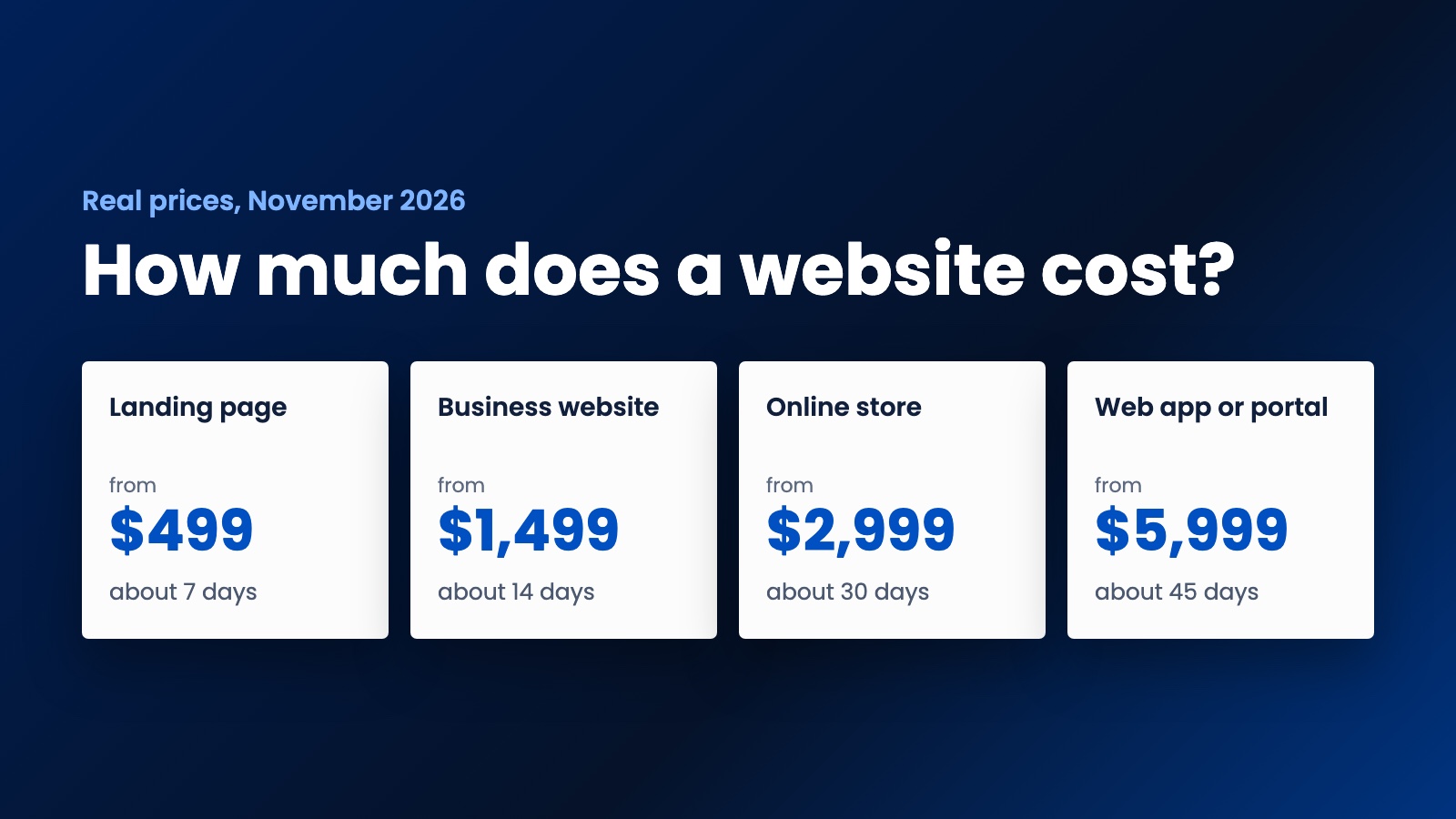
- Landing page, from $499, about 7 days. One conversion-focused page with a lead form, mobile layout, basic SEO setup and speed optimization. Best for launching one offer or running ads to one destination.
- Business website, from $1,499, about 14 days. Up to 6 pages on WordPress or Laravel, so you can edit the content yourself, plus lead forms, on-page SEO and analytics setup. Best for most service businesses.
- Online store, from $2,999, about 30 days. Up to 50 products with a payment gateway, shipping and tax setup, order emails and a training video. Best when customers buy directly on the site.
- Web app or client portal, from $5,999, about 45 days. Accounts, dashboards and custom logic. Best when the site has to do work for users, not just present information.
If you are comparing against a lower quote, first check whether it includes the same items, especially editing access, SEO setup and analytics.
The five things that change the price
Once you know the type of site, these decide where your project lands. The numbers come straight from our Website Cost Calculator.
- Design approach. Adapting a polished theme costs about 15% less than a custom design. A premium build with animations and extra polish costs about 35% more. A theme is often the right choice if you need to launch and test an idea quickly.
- Page count. Each page beyond the package adds $120, so features usually move the total more than extra pages do.
- Features. This is where budgets really move:
- SEO setup: $249
- Blog: $199
- Online payments: $299
- Online booking or copywriting: $399 each
- Multiple languages: $449
- CRM and tool integrations: $499
- Logo and branding: $599
- AI chatbot: $699
- Member or client area: $899
- Speed. A rush project costs 25% more and takes about 35% less time.
- Content. If your text and images are ready, you avoid the copywriting cost. Waiting on content is also a common reason a timeline slips, whoever builds your site.
Three worked examples
Each estimate below is the calculator's actual output for those options. It shows a range because the exact price depends on your details, and you get a firm quote before work starts.
A consulting firm that wants clients to book calls. A custom business website with 8 pages, SEO setup and online booking comes to $2,150 to $2,850 and takes about 21 days. With an adapted theme, it drops to $1,900 to $2,550. As a rush job, it rises to $2,700 to $3,600 and takes about 14 days.
A store selling in two languages. An online store with SEO setup and a second language comes to $3,350 to $4,450 and takes about 37 days.
A service company with a client portal. A web app with CRM integration and an AI chatbot comes to $6,500 to $8,650 and takes about 55 days.
Costs that come after launch
The build is rarely the last bill, so add these to your budget before you compare quotes. We have left out prices here because they vary by provider, so ask for them in writing.
- Domain name and hosting. Both renew, often every year. Check the renewal price, not just the first-year offer.
- Business email. Addresses on your own domain are usually billed per mailbox.
- Licenses. Premium themes and plugins often have annual fees.
- Payment fees. Online stores pay a fee on each sale. Stripe's pricing page is a useful example of how these fees are structured.
- Maintenance. Updates, backups and security need an owner. A site nobody maintains gets slower and riskier over time.
- Traffic. A site does not bring visitors by itself. Budget for SEO, content or ads if you need leads from it.
The accessibility question most quotes skip
If you sell in the US or Europe, ask how the site will handle accessibility, because it is easier to plan for at the start than to retrofit later.
In the US, the Department of Justice says businesses open to the public must make the goods and services they offer online accessible to people with disabilities, and its web accessibility guidance points to existing standards such as WCAG. In the EU, the European Accessibility Act has applied since June 28, 2025 and covers e-commerce services, with an exemption for service providers that qualify as microenterprises.
What applies to you depends on your business and location, so check with a lawyer if you are unsure. This is general information, not legal advice.
Seven questions to ask before you hire anyone
These work with any agency or freelancer, including us. A good provider will answer them without hesitation.
- Exactly what is included, and what would count as an extra?
- Who owns the design, the code and the content when the project ends? Ask to see it in the contract.
- Whose name will the domain and hosting accounts be in?
- How many revision rounds do I get, and what does another round cost?
- How do payments work, and what happens if I cancel halfway?
- Can I edit the content without calling you?
- Who looks after updates and security after launch, and what does that cost?
Here is how we answer two of those. Our packages include 3 to 5 revision rounds, and projects are split into milestones, so you pay as the work progresses. Our refund and cancellation policy is public, and if you cancel before work starts, you get your payment back in full.
How to get an accurate number
Write down three things before you ask anyone for a price: what the site must do for your business, which features it truly needs at launch, and your deadline. Features you can add later should wait. A smaller launch costs less, and real visitors will show you what is worth building next.
For a first figure, try the Website Cost Calculator. It takes about a minute and carries your answers into the contact form. When you are ready for a firm price, request a quote or compare our full pricing.
Need help putting this into practice?
Our team can do it for you — a clear plan and price within 24 hours, no obligation.