A plain walkthrough for local business owners, from checking whether you are already listed to verifying your profile, filling it in and getting your first honest reviews.
If you run a local business, this is probably the most useful free hour you'll spend this year. When someone searches for what you do in your area, your Google Business Profile is often the first thing they see, sometimes before your website. This tutorial shows you how to set up Google Business Profile properly, from a blank page to a listing that's ready for customers.
Grab your phone and a coffee. You'll need your business name, your address, your phone number, your opening hours and a few photos of your real work. It doesn't cost anything, and Google says outright that you can't pay for a better local ranking, so ignore anyone who rings up offering to sell you one.
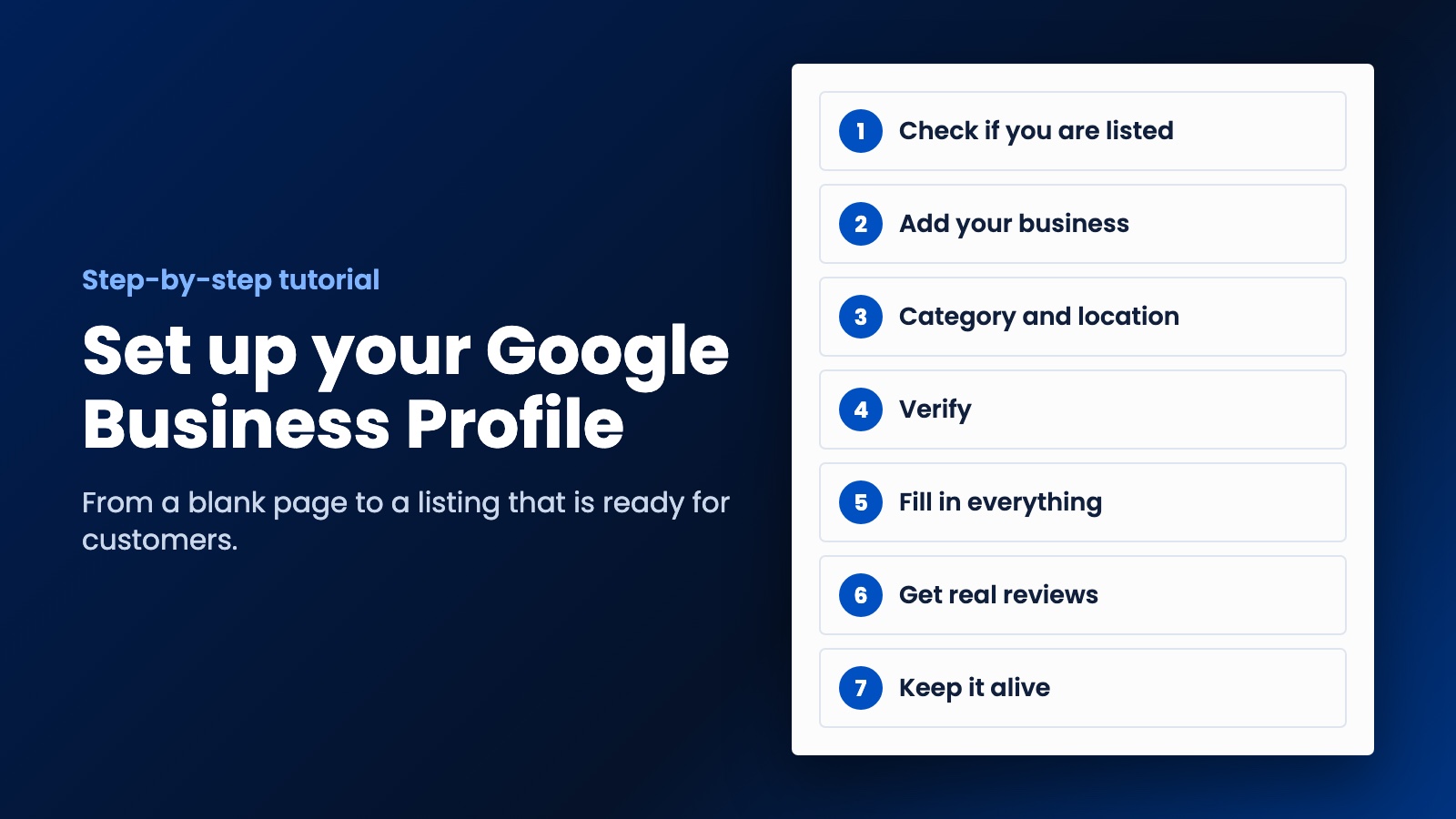
Step 1. Check whether you're already on Google
Do this before you create anything. Open Google Maps and search for your business name and town. You might be listed already, even if you never set it up.
- If you see your business and it says "Claim this business", click that, then "Manage now". You can skip to step 4.
- If it's already verified by somebody else, such as a former employee or an old web designer, you'll need to request ownership from them.
- If you can't find it, carry on to step 2.
Step 2. Add your business
Go to business.google.com/add and sign in. Use a Google account that belongs to the business rather than one tied to a staff member who might leave. Click "Add your business to Google" and follow the prompts.
Now the part where people get themselves into trouble. Enter your real business name, exactly as it appears on your sign or your paperwork. It's very tempting to type "Dave's Plumbing Best Emergency Plumber Sydney". Don't. Google's guidelines say that adding extra information to your name isn't permitted and could get your profile suspended. Taglines, locations, phone numbers and opening hours all stay out of the name.
Step 3. Pick your category and set your location
Category. Choose the most specific one that describes your main business, and use as few as you can. Your category should say what you are, not list everything you offer. "Plumber" is right. Don't go adding five more just to catch extra searches.
Location. This depends on how you work:
- If customers come to you, enter your precise street address. P.O. boxes and virtual offices aren't accepted.
- If you go to customers, like a cleaner or an electrician, you're what Google calls a service-area business. You should hide your address and set a service area instead. Google says that area shouldn't generally stretch beyond about two hours' drive from your base, so don't claim the whole country.
Step 4. Verify your business
Your listing won't get far until Google is satisfied you're real. You don't get to pick the method, as Google offers options based on your business. You could see one or more of these:
- A code by phone or text.
- Steps sent by email.
- A live video call with a support person, during your business hours.
- A video showing your location and proof you run the place. Google recommends this if you're eligible.
- A postcard with a code. Most arrive within 14 days and codes expire after 30.
Whichever you get, keep things simple until it's done. If you're waiting on a postcard, don't edit your details or request a new code in the meantime. After you finish, Google's review can take up to five business days, and occasionally longer. For a video, have your signage, your tools and something like a utility bill ready before you start filming.
Step 5. Fill in everything
A half-finished profile looks like a half-finished business. Once you're verified, work through all of it:
- Hours, including holiday hours when they come up. Few things annoy a customer more than driving over to a closed shop.
- Phone number and website. Link to your most relevant page. A profile that sends people to a slow site wastes all of this work, so read our guide to local business websites as well.
- Services, described the way a customer would say them.
- Photos and videos. Use your real team, van, shop and finished jobs. Add new ones now and then.
- A description, in plain words. Say what you do, who for and where.
Step 6. Get your first reviews
Reviews count toward how well-known Google considers you, and they're what customers read before they ring. Text your last ten happy customers and ask them for an honest review, with a direct link so that it's easy. Most people don't mind. They just won't think of it by themselves.
Do it honestly, though. Don't write reviews yourself, and don't offer anything in return for five stars. The FTC's rule in the US covers fake reviews and incentives tied to a particular sentiment, and other countries have consumer laws of their own.
Then reply to every review you get, including the bad ones. Keep it short and calm. You're really writing for the next customer, who's reading to see how you treat people when something goes wrong.
Step 7. Keep it alive
Put a reminder in your calendar for once a month. Check that your hours are still right, add a couple of new photos and answer any new reviews. Ten minutes will do it. Plenty of owners set up Google Business Profile once and never look at it again, so a bit of regular attention helps you stand out.
Mistakes people make when they set up Google Business Profile
The big one is stuffing keywords into the business name, because it can get you suspended. After that comes using a virtual office or a friend's address to look local, which isn't eligible and can get you into the same trouble. Another common one is setting the profile up with a personal email, then losing access when that person leaves. And don't create a second profile for the same location. Google wants one per location.
What happens next
A good profile gets you found. It doesn't answer the phone for you, follow up on quotes or bring last year's customers back. That's the job of your website and your automation, and it's what we do at WebDo24 for small and local businesses. We'd show you exactly how it would work for your business before you agree to anything, and if the plan makes sense to you, we'd get started. Tell us about your business if you'd like us to take a look.
Need help putting this into practice?
Our team can do it for you — a clear plan and price within 24 hours, no obligation.