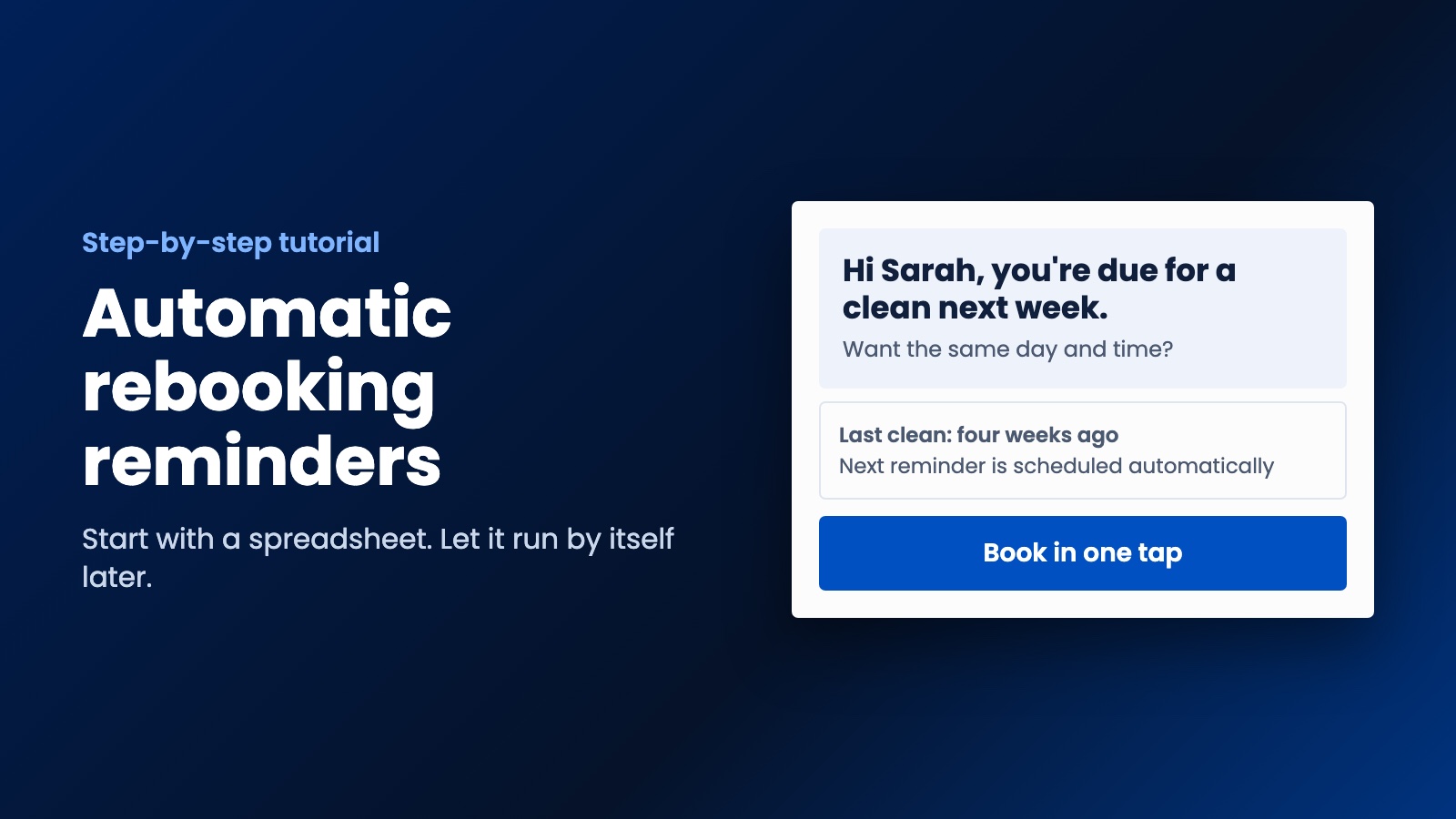
A step-by-step tutorial for reminding past customers when they are due again. Start with a spreadsheet this weekend, then let it run by itself once you know it works.
Automatic rebooking reminders are about the cheapest bit of marketing you'll ever set up. A customer used you, liked you, and needs you again around now. All you have to do is remind them. This tutorial shows you how to do that for a service business, starting with a spreadsheet and working up to something that runs by itself.
We built this idea into a website and apps for a cleaning company in Australia, where a customer who books a clean gets a notification when the next one is due. You don't need apps to get started, though. You can have a basic version working this weekend.
Step 1. Work out when each customer is really due
Open a blank page and write down each service you sell and how long it's usually good for. You know this better than anybody. It might look like this:
- Regular house clean: every four weeks
- Deep clean: every six months
- Pest control: every twelve months
- Dog grooming: every six weeks
- Car service: every twelve months
Use your own numbers, not these. Check your records if you've got them. See how long your regulars actually wait between visits, because that's a better guide than what you tell them. Then send the reminder a little before that point, so that they've got time to fit you in.
Step 2. Collect the right details when people book
A reminder is only as good as the record behind it. Every customer needs a line with their name, their mobile or email, what they had done, the date, and whether they've agreed to hear from you.
That last column isn't optional, so add a clear unticked box to your booking form or invoice: "Remind me when my next service is due." It takes one line, and it covers you for what comes next.
Step 3. Check the rules before you press send
A reminder that encourages someone to book again is generally a marketing message, and marketing has rules. We're not lawyers and this isn't legal advice, so check where you operate, but here's what to look for:
- Australia. The ACMA says you generally need consent before sending marketing messages, you should be able to prove it, and you need a working unsubscribe option. This applies to small businesses too.
- United States. The FTC's CAN-SPAM guide requires marketing emails to include a postal address and a clear way to opt out, and you've got 10 business days to honor a request. Text messages have stricter consent rules, so get advice before you send them.
- UK, EU and Canada. All have their own consent rules for marketing by email and text. Getting clear permission up front is the safest habit wherever you are.
The short version is to ask first, say who you are, and make it easy to stop.
Step 4. Write a message that sounds like you
Keep it short. It should read like something you'd send from your own phone, not a campaign. For example:
Hi Sarah, it's Mike from Bright Clean. It's been about four weeks since your last clean, so you're due again next week. Want the same day and time? Book here: [link]. Reply STOP to opt out.
Notice what's doing the work. It uses her name, it says why you're writing, and it has one clear next step. There's no discount and no shouting. You don't need a special offer for someone who already likes you, and training customers to wait for one will just cost you later.
One small catch: only say "Reply STOP" if your system can actually receive replies. Some text senders can't, and an opt-out that doesn't work is worse than useless.
Step 5. Make rebooking take one tap
This step is where a lot of reminders fall down. If your message says "give us a call" and it's 9 p.m., you've lost them until they remember again. Send them straight to a booking page, or at the very least a short form. If you don't have online booking yet, add that next, as it's worth having anyway.
Step 6. Start by hand, then automate it
Don't start by buying software. Do it manually for a few weeks so that you can see what works.
Level one is a spreadsheet. Add a column for "next due" that adds your interval to the last visit date. Once a week, sort by that column and send your messages. It's dull, but it costs nothing and it proves the idea.
Level two is your existing tools. Plenty of booking systems and CRMs already have reminders built in, so check yours first, because you might already be paying for it. If not, tools like Zapier and Make can watch your spreadsheet and send the message on the right date.
Level three is a proper system. Once the reminders are clearly working, it's worth building them into your website and booking flow, so the next reminder gets scheduled the moment a job is finished. That's when you can also add iOS and Android apps for your regulars, with notifications that land on their phones. Our app guide will help you decide if you're at that point.
Step 7. Add rules so that you don't annoy people
Badly behaved automatic rebooking reminders are worse than none at all. Before you turn it on, make sure that:
- It stops when someone books. Nobody wants a reminder for the clean they booked yesterday.
- It stops when someone opts out, straight away.
- It sends one follow-up at most if there's no answer, then leaves them alone until next time.
- It sends at sensible hours, in the customer's time zone.
- It skips anyone with an open complaint. Sort that out personally first.
Step 8. See whether it's working
You only need three numbers each month: how many reminders went out, how many people booked after one, and how many opted out. If bookings are low, try changing the timing first and the wording second. If opt-outs climb, you're probably messaging too often.
Write down those numbers before you start, too. Otherwise you won't know what difference the reminders made.
Want automatic rebooking reminders done for you?
You can absolutely run this yourself, and we'd encourage you to try the spreadsheet version first. When it gets too big to manage, that's what we do at WebDo24. We build websites and iOS and Android apps for small businesses that handle this automatically, like the cleaning company project we wrote about. We don't make big promises. We'll show you the strategy first, and you decide whether it makes sense for you. Tell us about your business and we'll send you a plan.
Need help putting this into practice?
Our team can do it for you — a clear plan and price within 24 hours, no obligation.